
Households & sharing
Who sees what once you invite people in — including how event links work for guests who don’t (and don’t need to) have an account.
Creating your household
A short wizard: name your household, set when you’d like your weekly planning session and inventory-audit reminders, and tell FoodGenie roughly who’s eating — adults and kids, by count.
Inviting people
One invite, three ways to hand it over — an emailed link, a copyable link, or a QR code all point at the exact same 7-day token underneath. A recipient doesn’t need a FoodGenie account already: the invite page offers “Accept & sign up” right alongside “Already have an account? Sign in to accept,” and it’s bound to the email address it was sent to.
Email
The default — up to 10 addresses per batch, sent via a real email with the invite link (there's also a per-account daily send cap of about 10 invites total).Share link
A copyable URL for the most recently sent invite — handy for texting someone directly instead of relying on email.QR code
The same link, as a code to scan — useful in person.A child, directly
No email, no invite, no login for them — an owner or admin adds a child's profile straight from the household, and fills in their dietary details right after.
Your household hub & roles
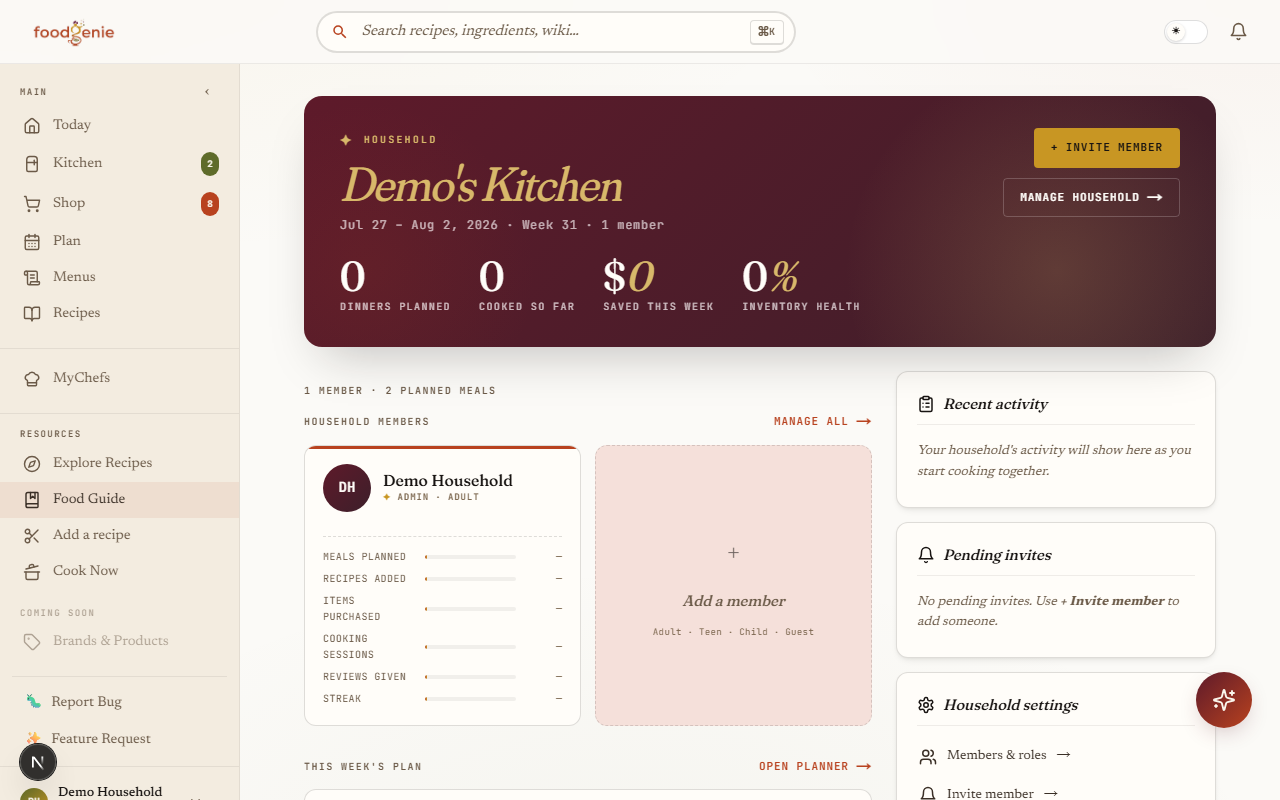
The household hub is your at-a-glance view — who’s in, this week’s plan, and recent activity. The members page underneath handles the actual management: three roles (owner, admin, member) control who can invite people or edit household settings, separate from each person’s life stage (adult, teen, child), which controls what they can actually do — a child can’t plan, shop, or chat with the Genie, for instance.
Owner
The only role that can transfer ownership, cancel a subscription, or (once it works — see below) delete the household.Admin
Can invite people and edit household settings alongside the owner.Member
Can plan, cook, shop, manage inventory, import recipes, and chat with the Genie — everything except owner/admin-only settings.
Dietary signals & the Genie
Chat with the Genie and it already knows your whole household’s allergens and dislikes, aggregated from every member’s profile — not just yours. The automated “plan my week” fill does the same, for the safety-relevant part.
Multiple households
You’ll notice the account menu has room for a household switcher — that’s real, forward-built UI, not a mistake. It just has nothing to switch between yet.
Events & RSVP links
Turn a menu into an event from its detail page and you get a shareable link plus a guest-facing RSVP form, roster, and headcount — built specifically so a guest never needs a FoodGenie account to use it.
Was this page helpful?